
Appearance
Collection products
The primary section used to display products within a collection
The Collection Products section is one of the most critical components of your Shopify store. It is the primary area where customers browse, filter, and interact with products while shopping within a collection.
Because of its importance, we've invested significant time crafting this section to be both powerful and flexible. However, achieving the best results also depends on how you customize it to match your brand's needs. Filters, sorting options, and infinite pagination are all managed directly within this section, giving you full control over the browsing experience.
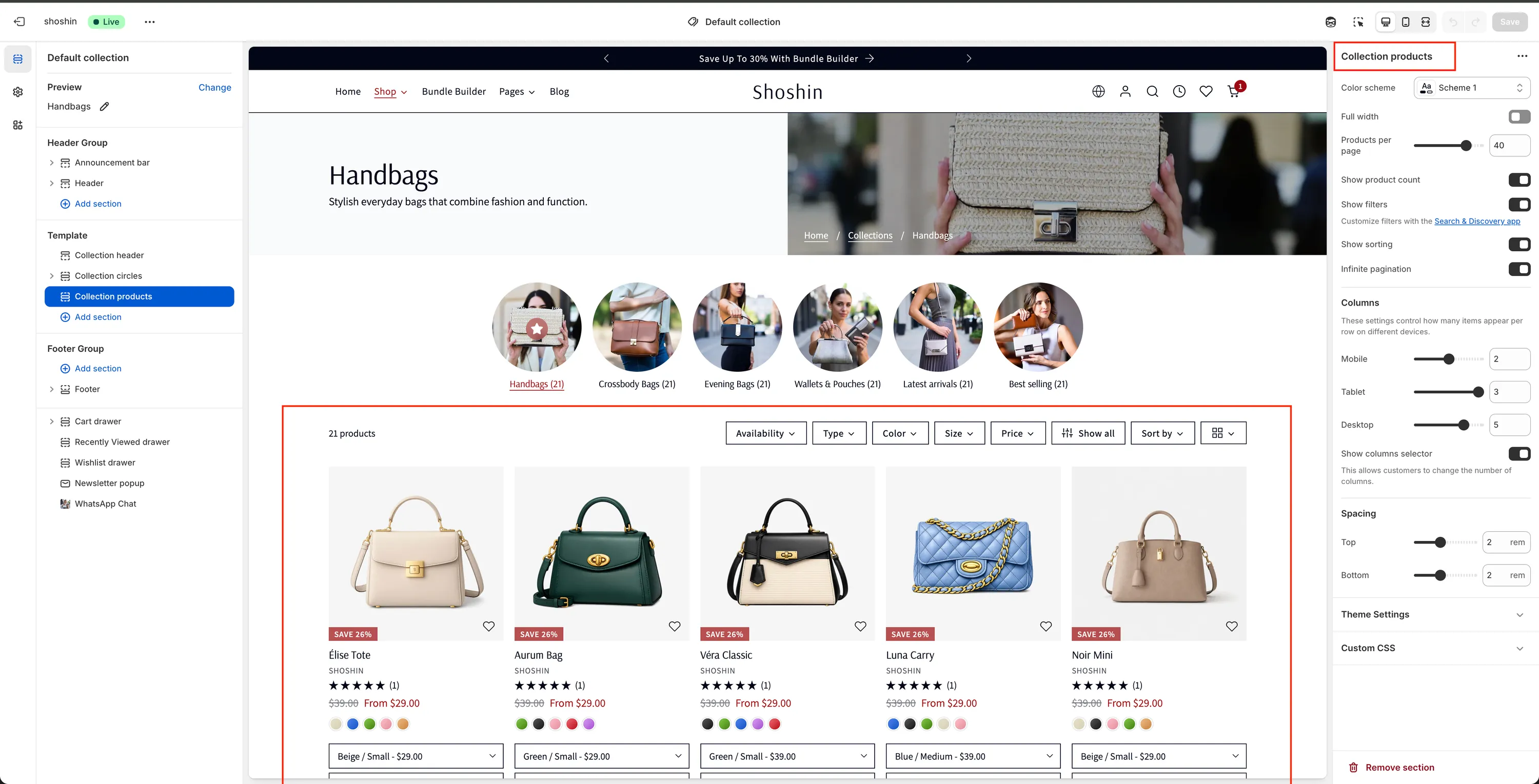
Configuration
The following settings are available for the Collection Products section:
Color scheme
Select the color scheme applied to this section. In most cases, we recommend using your primary scheme (for example,scheme-1).Full width
Enable this option if you prefer the product grid to span the full width of the screen instead of being wrapped inside the theme container.Products per page
Controls how many products are displayed per page. We recommend keeping this value as high as possible to reduce pagination and improve browsing flow.Show product count
Toggle the visibility of the product counter displayed at the top-left of the section.Show filters
Enable or disable all filtering functionality. To add and customize filters, please refer to the Filters documentation page.Show sorting
Adds a sorting selector that allows customers to reorder products (for example, by price or alphabetically). It is strongly recommended to keep this option enabled.Infinite pagination
Automatically loads more products as the customer scrolls to the bottom of the product list, improving the browsing experience. Disable this option if you prefer to use standard pagination instead.
Columns
These settings control how many products are displayed per row on different devices:
Mobile
Select the number of columns per row for mobile view.Tablet
Select the number of columns per row for tablet view.Desktop
Select the number of columns per row for desktop view.Show columns selector
Allows customers to manually change the number of visible columns in the product grid.