
Appearance
Shoppable videos
Turn engaging videos into direct sales with interactive, product-linked content
The Shoppable Videos section brings your store to life by combining short-form video content with seamless product discovery. It's a modern, high-converting way to showcase products using real people, real use cases, and authentic moments.
User-generated content (UGC) has become one of the most powerful tools in eCommerce. By showing products in action, customers can better visualize how they're used, build trust faster, and feel more confident about purchasing. This section makes it easy to leverage that advantage.
If your brand already creates content for platforms like TikTok or Instagram Reels, you can reuse those videos directly in your store. Each video can display a linked product at the bottom, smoothly animating into view while the video plays—making it effortless for customers to explore or buy without breaking their flow.
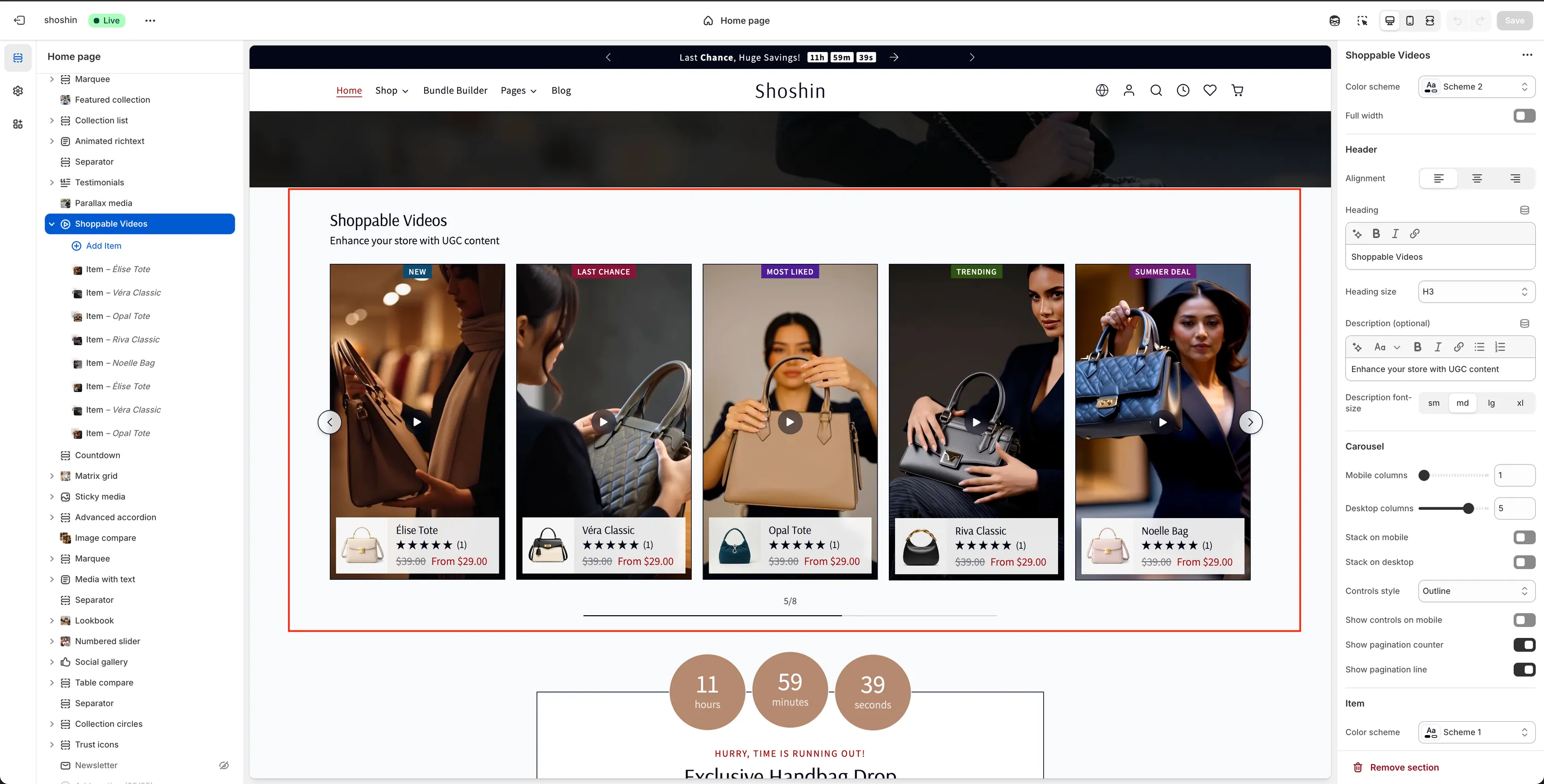
Configuration
The Shoppable Videos section offers flexible settings to help you match your store's layout, branding, and user experience.
Color scheme
Choose the color scheme applied to this section.Full width
Enable this option to allow the section to span the full width of the screen.
Header
Alignment
Set the alignment of the header content (left, center, or right).Heading
The main title displayed above the videos.Heading size
Select the heading level (H1–H6) to fit your page hierarchy.Description (optional)
Additional text shown below the heading.Description font size
Control the size of the description text (sm,md,lg,xl).
Carousel
Mobile columns
Number of videos shown per slide on mobile devices.Desktop columns
Number of videos shown per slide on desktop.Stack on mobile
Display videos stacked vertically on mobile instead of using a carousel.Stack on desktop
Display videos stacked vertically on desktop.Controls style
Choose how navigation controls appear:Minimal,Outline,Inverted, orAccent Outline.Show controls on mobile
Toggle navigation arrows on mobile devices.Show pagination counter
Display the current slide number.Show pagination line
Show a progress indicator for the carousel.
Item
Color scheme
Set a color scheme specifically for individual video items.Border
Enable or disable borders around video items.Shadow
Add a shadow effect for extra depth.Show rating stars
Display product rating stars if available.Link style
Choose how product links behave: Quick view or Product page.
Video block settings
In addition to the main section settings, each video is added as an individual block within the Shoppable Videos section. This allows you to fully control the content and behavior of every video independently.
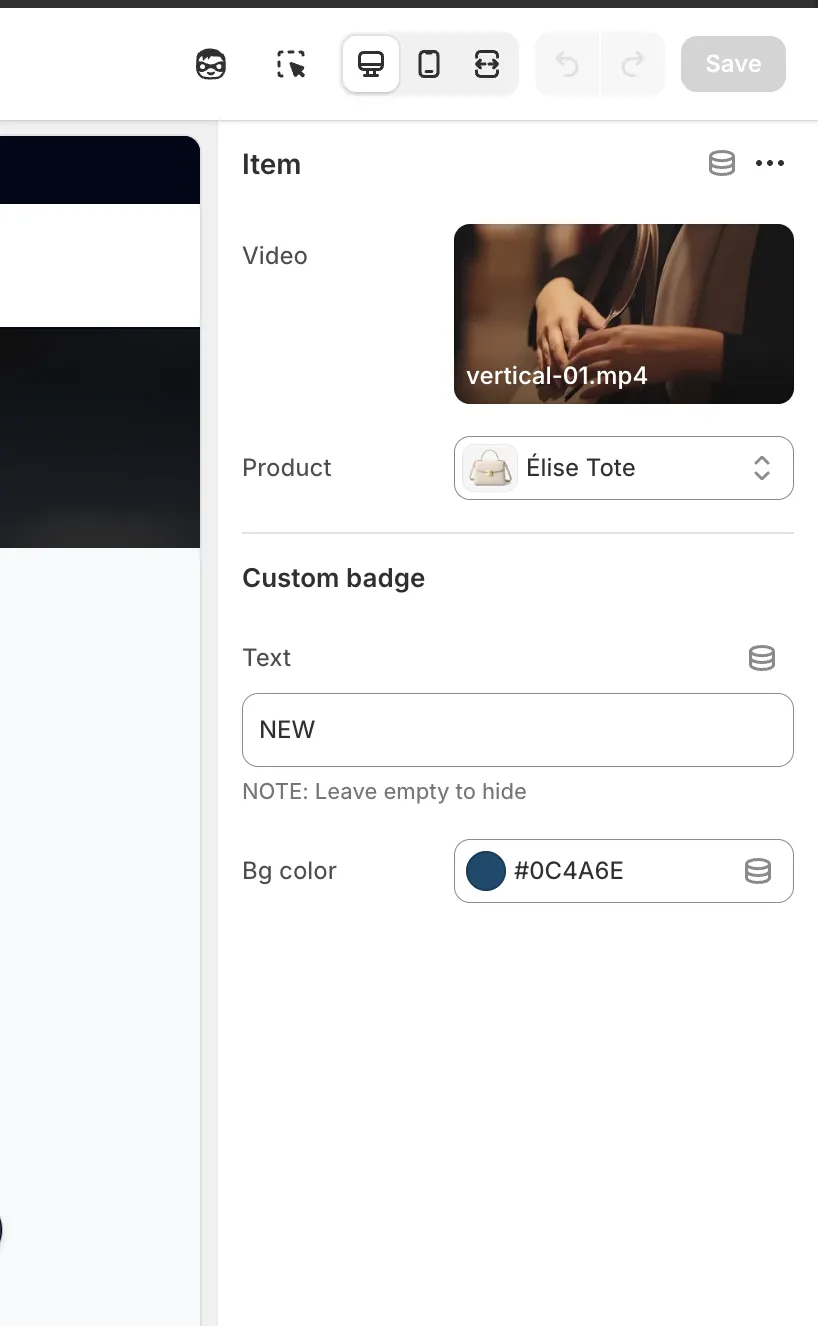
Each video block includes the following settings:
Video
Select or upload the video you want to display. This can be a product demo, UGC clip, or short-form social video.Product
Choose the product that will be linked to the video. The selected product appears as an interactive element while the video is playing.Custom badge text
Optional label displayed on top of the video. Use short, attention-grabbing text such as Best seller, New, or Trending.Custom badge color
Background color of the custom badge, allowing you to match your branding or highlight specific videos.