
Appearance
Sticky add to cart
Keep the add-to-cart action visible and increase conversions on long product pages
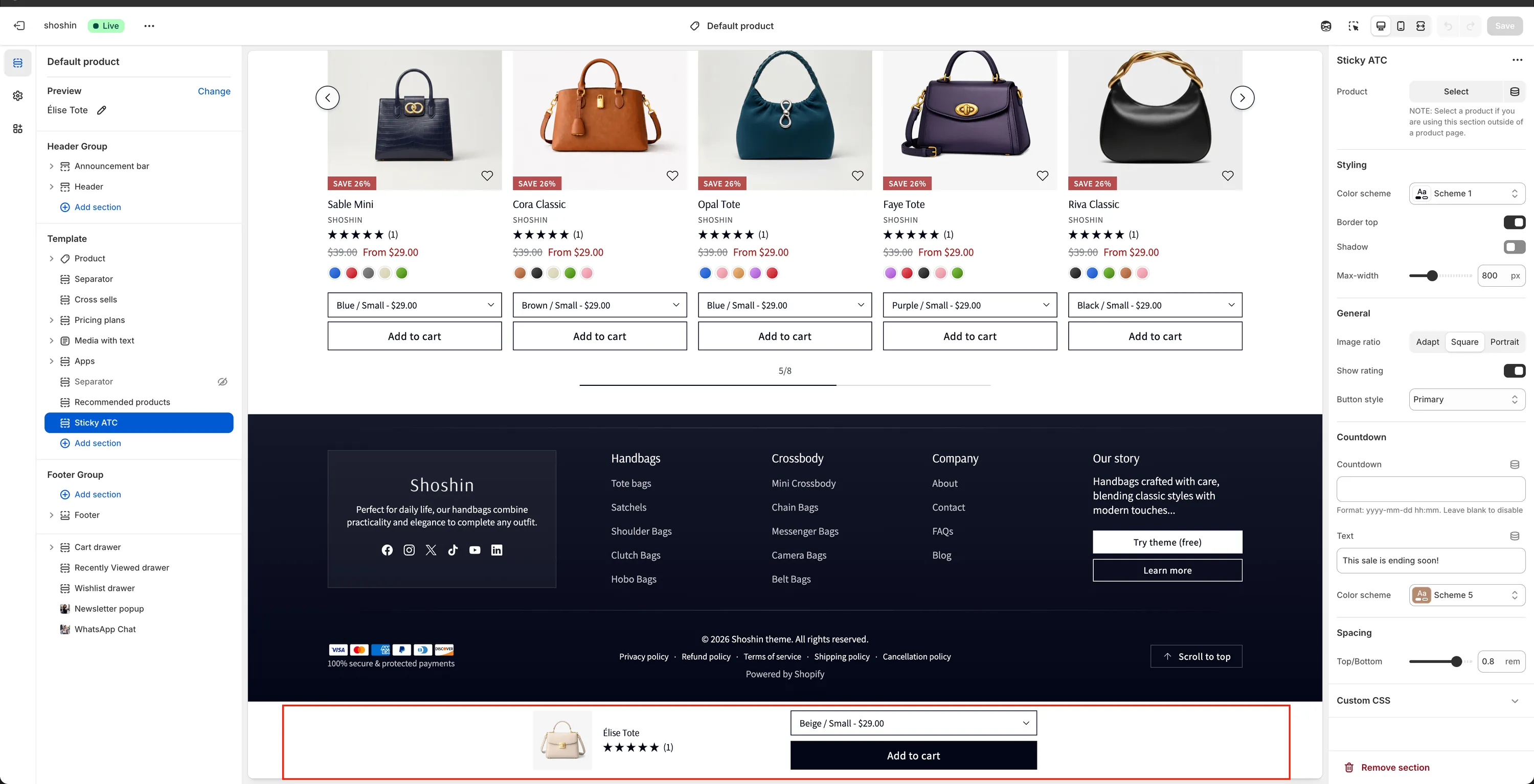
The Sticky add to cart section is a classic and proven conversion tool in Shopify. It keeps a compact add-to-cart bar fixed at the bottom of the screen, ensuring customers can add a product to their cart at any time—without needing to scroll back to the main product form.
This is especially effective for long product pages with rich content such as descriptions, media, reviews, and FAQs. By keeping the call to action always visible, friction is reduced and purchase intent is captured at the right moment.
When to use it
- On product pages with long layouts
- When customers need to scroll to compare details before buying
- To reinforce urgency with countdowns or limited offers
Note
While this section is primarily designed for product pages, it can also be used on other pages if a product is manually selected.
Section configuration
The Sticky add to cart section offers flexible settings to control its appearance, behavior, and layout.
Product
- Product
Automatically uses the current product when placed on a product page. If used outside a product page, you must manually select a product.
Styling
Color scheme
Choose the color scheme used for the sticky bar.Border top
Adds a top border to visually separate the bar from page content.Shadow
Adds a shadow effect to give the bar more depth.Max width
Limits the maximum width of the sticky bar on large screens.
General
Image ratio
Controls the product image aspect ratio:- Adapt – Matches the original image ratio
- Square
- Portrait
Show rating
Displays product rating stars if available.Button style
Choose the add-to-cart button style: Primary, Outline, or Accent
Countdown
Use this option to create urgency and highlight time-limited offers.
Countdown
Enter a date and time using the format:yyyy-mm-dd hh:mm
Leave empty to disable the countdown.Text
Custom message displayed next to the countdown (e.g. This sale ends soon!).Color scheme
Color scheme used for the countdown element.
Spacing
- Top / Bottom
Adjust the vertical padding of the sticky bar usingremvalues.