
Appearance
Media with text
Build flexible, responsive layouts by pairing media with rich content.
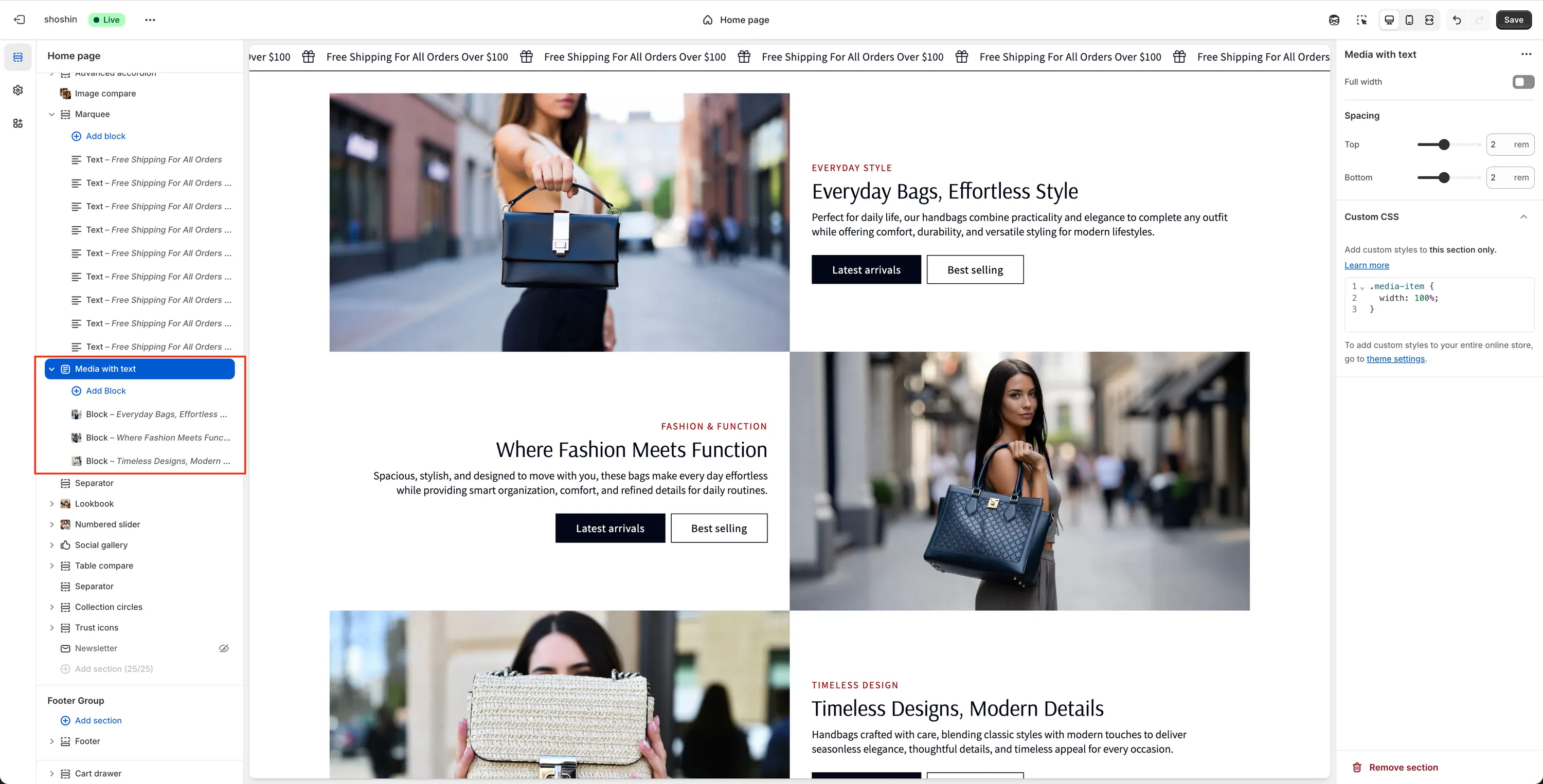
The Media with Text section is one of the most versatile sections in the theme and is commonly used across the store to create flexible, responsive content layouts. Each block consists of a media element on one side—such as an image, MP4 video, or external video (YouTube or Vimeo)—and textual content on the other.
On desktops, media can be positioned on the left or right, while on mobile devices, the layout automatically stacks for optimal readability.
Unlike many other themes, this section is built entirely around a block-based system, allowing you to stack multiple media-and-text blocks within a single section. This makes it ideal for building rich, content-heavy pages without hitting Shopify's section limits.
Configuration
As mentioned above, this section is fully block-driven. Instead of adding multiple sections, you simply add multiple blocks within a single Media with Text section.
The section-level settings are intentionally minimal:
- Full width – Enable this option if you want all blocks to span the full width of the screen instead of respecting the theme container.
All remaining configuration options are handled per block, giving you complete control over each layout item.
Block Settings
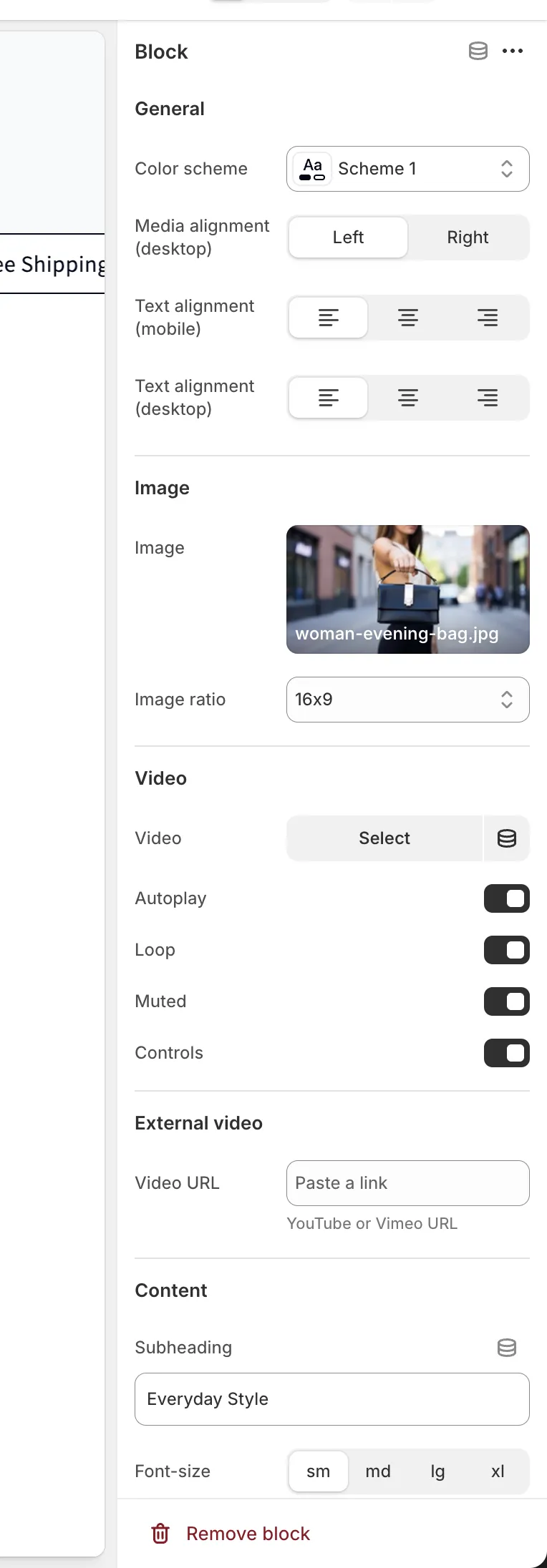
Each block represents a single media + content layout.
General
Color scheme
Select the color scheme for this block. This applies only to the current block, allowing different color schemes within the same section.Media alignment (desktop)
Position of the media on desktop:- Left
- Right
Text alignment (mobile)
Choose how text is aligned on mobile devices.Text alignment (desktop)
Choose how text is aligned on desktop devices.
Image
Image
Select an image to display in the block.Ratio
Controls how the image is displayed. Choose Adapt to preserve the original image proportions, or select a fixed ratio: 1×1, 4×3, 16×9, 3×4, 9×16
Video (MP4)
Video
Select an MP4 video to display. Note: If a video is selected, the Image setting above is ignored.Autoplay
Enable to start playing the video automatically when visible.Loop
Enable to replay the video continuously.Muted
Mute the video audio. Required for autoplay on most browsers.Controls
Show or hide video playback controls.
External Video
- Video URL
Enter a YouTube or Vimeo URL to display an external video. Note: When an external video is used, the Image and MP4 Video settings above are ignored.
Content
Subheading
Short text displayed above the main heading.Subheading font size
Available options: sm, md, lg, xlHeading
Main title for the block.Heading size
Available options: H1, H2, H3, H4, H5, H6Description
Supporting text displayed below the heading.Description font size
Available options: sm, md, lg, xl
Primary Button
Label
Text for the primary button. Leave empty to hide the button.URL
Link destination for the primary button.Button style
Available options: Primary, Outline, Accent, Link
Secondary Button
Label
Text for the secondary button. Leave empty to hide the button.URL
Link destination for the secondary button.Button style
Available options: Primary, Outline, Accent, Link