
Appearance
Sticky media
Create immersive, full-screen storytelling with scroll-based media transitions
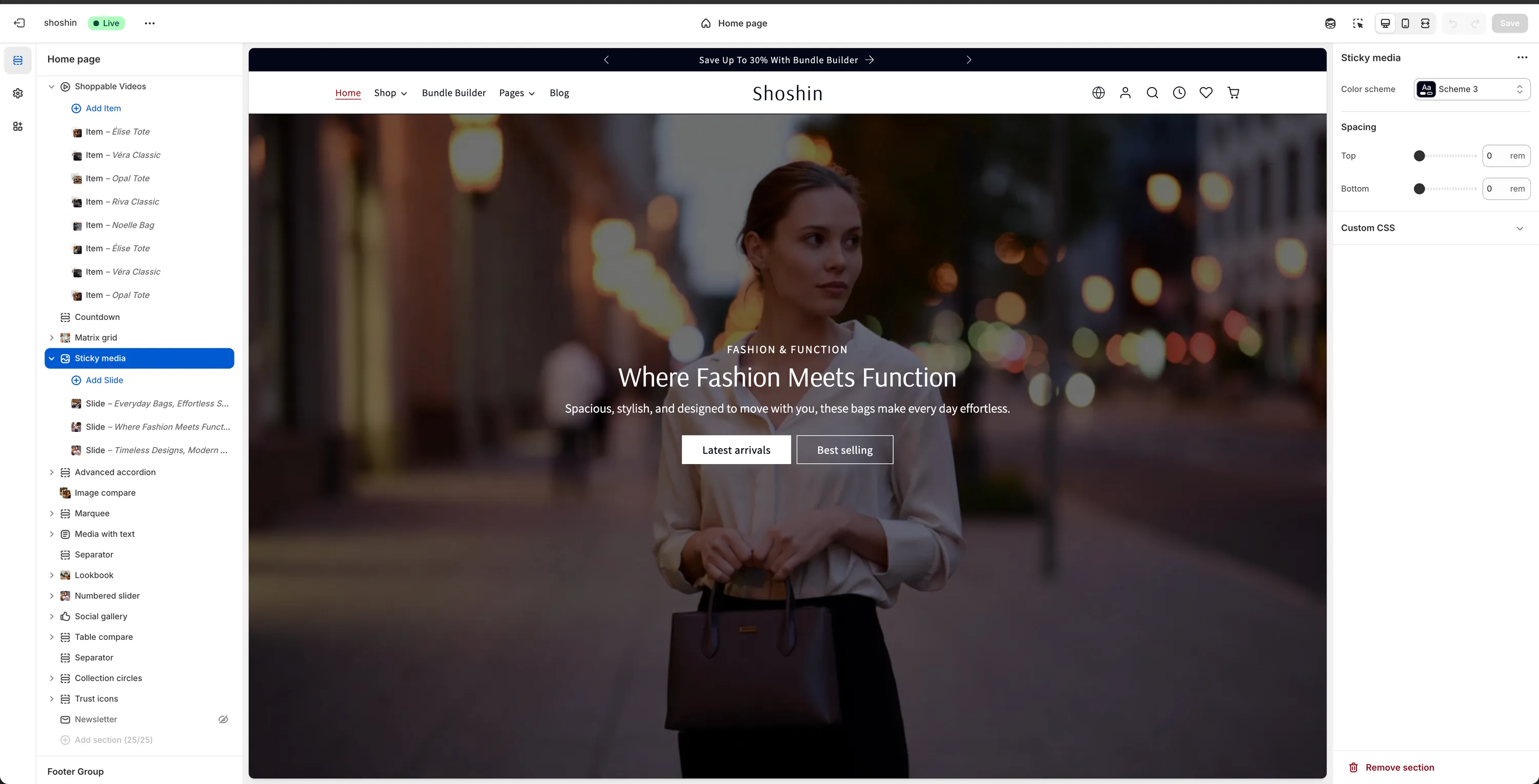
The Sticky media section is a visually striking layout designed to create a strong "wow" effect. It combines scrolling content with a fixed (sticky) background image or video that changes as the user scrolls through each slide.
As visitors scroll down the page, the content blocks move vertically while the background media stays fixed in place. When the next block comes into view, the background image or video smoothly transitions to match that block's content. The section occupies the full viewport height, making it ideal for storytelling, brand messaging, or feature highlights.
When to use it
- To tell a story in multiple steps
- To highlight key features or benefits
- For landing pages that need strong visual impact
- When you want to guide users through content sequentially
WARNING
We recommend using 3–4 blocks maximum. Adding too many blocks forces excessive scrolling and can reduce engagement.
Section configuration
The Sticky media section itself does not include global settings. Instead, each slide is configured as an individual block, giving you full control over media and content per step.
Block configuration
Each block represents one "slide" in the Sticky media section and includes the following settings:
Media
You can use either an image or a video, but not both.
Image
Desktop image displayed as the background.Mobile image (optional)
Separate image for mobile devices. Leave empty to use the desktop image on all devices.Video
Background video for the block.
WARNING
Only one media type can be used per block (image or video).
Media overlay
Used to improve text readability on top of media.
Overlay color
Background color applied on top of the media (default:#000000).Opacity
Controls how strong the overlay appears.Blur
Adds a blur effect to the background media.
Content
Controls the placement and alignment of text content.
Position
Choose where the content appears: Left, Center, or RightText alignment
Align text within the content area.
Text
Subheading
Optional smaller heading above the main title.Subheading font size
Choose from:sm,md,lg,xlHeading
Main title for the block.Heading size
Select the heading level (H1–H6).Description
Supporting text below the heading.Description font size
Choose from:sm,md,lg,xl
Primary button
Button label
Text shown on the button. Leave empty to hide.Button URL
Link destination.Button style
Choose from: Primary, Outline, Accent, or Link
Secondary button
Button label
Text shown on the button. Leave empty to hide.Button URL
Link destination.Button style
Choose from: Primary, Outline, Accent, or Link
Best practices
- Keep blocks short and focused
- Use high-contrast media for better readability
- Avoid overusing this section—one instance per page works best
- Pair with simpler sections before and after to balance the layout
Sticky media is most effective when used as a storytelling moment, not a content dump.