
Appearance
Countdown
Create urgency and drive sales with countdown timers for promotions and special events.
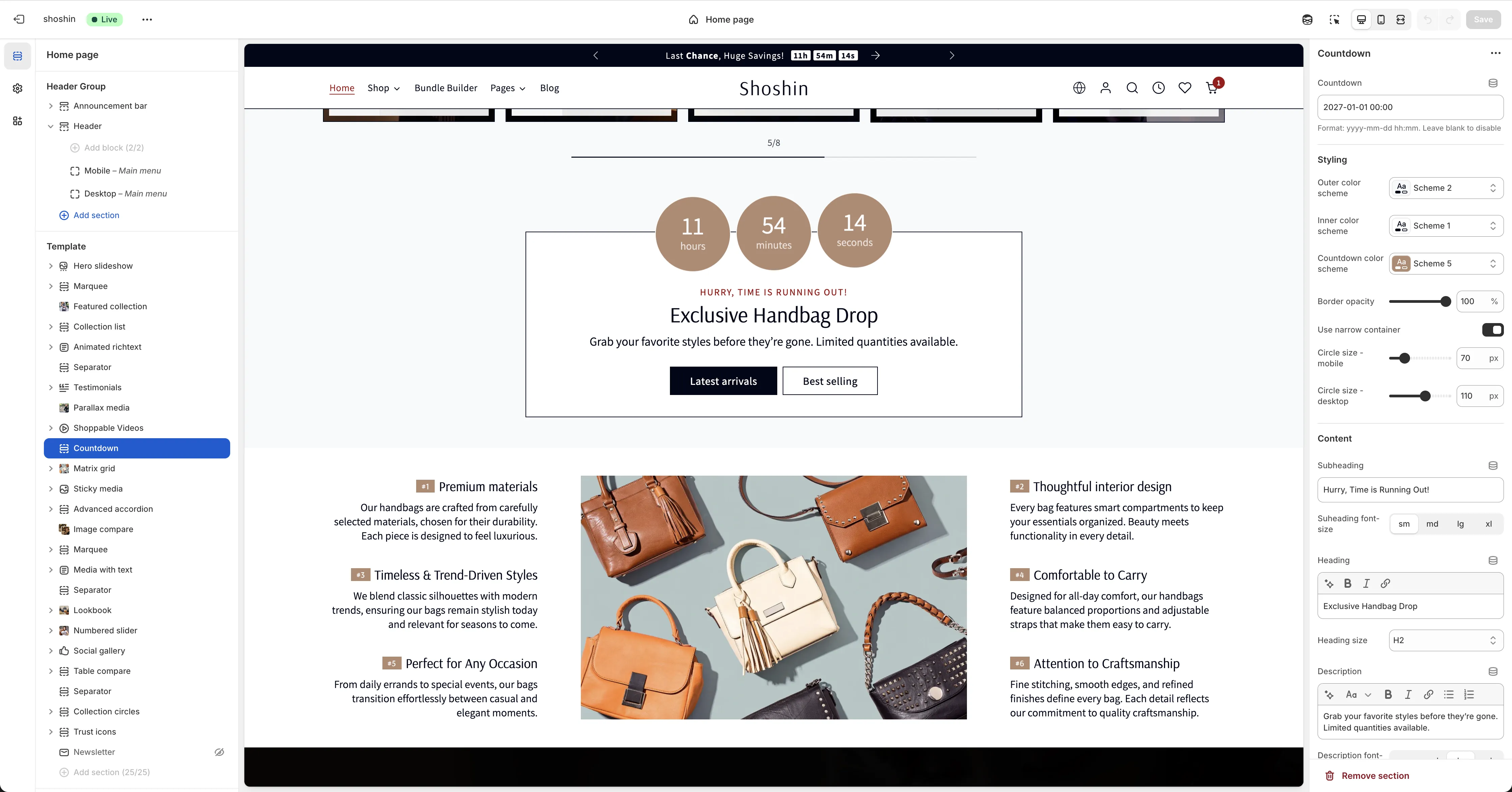
The countdown section helps you create a sense of urgency on your store, which is especially helpful during site-wide sales like Black Friday/Cyber Monday or seasonal promotions. The countdown timer is also integrated into other parts of the theme, including the product main section as a block and the announcement bar. This allows you to consistently highlight your limited-time offers across multiple touchpoints on your store.
Configuration
Beyond the countdown end date, you can customize the section's appearance and content using the standard section settings. Since these are straightforward to understand, we'll focus this guide on the most important setting: the countdown end date.
Countdown End Date
The primary setting for this section is the Countdown field. This is where you specify when your promotion or sale ends.
Format: yyyy-mm-dd hh:mm (e.g., 2027-01-01 00:00)
Timezone: The countdown uses your store's timezone as configured in your Shopify admin settings.
Optional: Leave this field empty if you want to display the section content without an active countdown timer.