
Appearance
Trust icons
Reinforce credibility and highlight key assurances at a glance
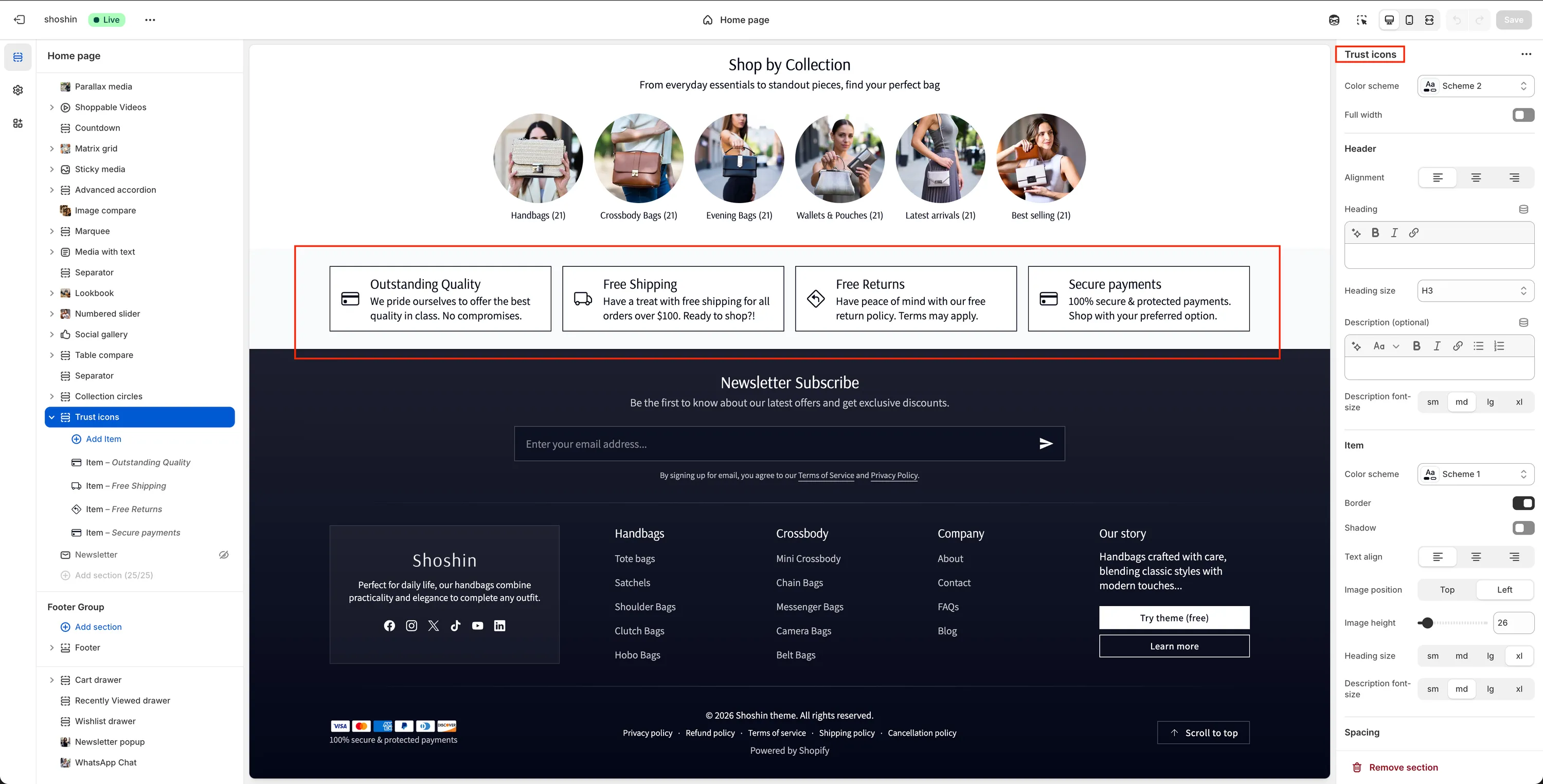
The Trust icons section is designed to quickly communicate important assurances that build customer confidence. It's ideal for highlighting guarantees, services, or key benefits such as Free shipping, Secure checkout, or 30-day returns.
Visually, the section is made up of simple cards containing an icon, a heading, and a short description. While commonly used for trust signals, the flexible structure allows you to repurpose it for any type of short informational content.
When to use it
- To increase trust and reassurance before purchase
- Near Add to cart or Checkout-related sections
- On product pages, homepages, or landing pages
- To communicate guarantees, policies, or service highlights
Section configuration
The Trust icons section provides layout and styling controls to match your theme and page structure.
General
Color scheme
Select the color scheme for the entire section.Full width
Stretch the section across the full width of the page.
Header
Alignment
Set the alignment of the header content (left, center, or right).Heading
Main title displayed above the icons.Heading size
Choose the heading level (H1–H6).Description (optional)
Supporting text shown below the heading.Description font size
Choose from:sm,md,lg,xl
Item appearance
Controls how each trust card looks.
Color scheme
Apply a separate color scheme to the items.Border
Enable or disable borders around each card.Shadow
Add a shadow for visual depth.Text alignment
Align text inside each card.Image position
Display the icon Top or Left of the content.Image height
Control the size of the icon.Heading size
Choose the heading size (sm,md,lg,xl).Description font size
Choose the description text size (sm,md,lg,xl).
Spacing
Top
Top padding of the section (inrem).Bottom
Bottom padding of the section (inrem).
Trust icon block settings
Each trust icon is added as an individual block within the section.
Each block includes the following settings:
Image
Icon or image displayed for the card. SVG icons are recommended for best clarity, but any image can be used.Heading
Short title that clearly communicates the benefit.Description
Supporting text explaining the trust message.
Best practices
- Keep messages short and scannable
- Use consistent icon styles across all cards
- Focus on customer concerns (shipping, payments, returns, support)
- Place near high-intent areas (product pages, checkout steps)
- Avoid overcrowding—3–5 icons works best
The Trust icons section is most effective when it reinforces confidence without distracting from the buying flow.