
Appearance
Marquee
Highlight key messages with a continuously scrolling banner.
The Marquee section adds movement and visual interest to your store by displaying a continuously scrolling list of messages. It's commonly used to highlight important information you don't want customers to miss—such as free shipping offers, promotions, or key brand values—while subtly reinforcing those messages through repetition.
This modern and widely loved feature helps keep your storefront dynamic and engaging. You can use short promotional phrases, value propositions, or even logos to create anything from a simple announcement bar to a branded scrolling showcase.
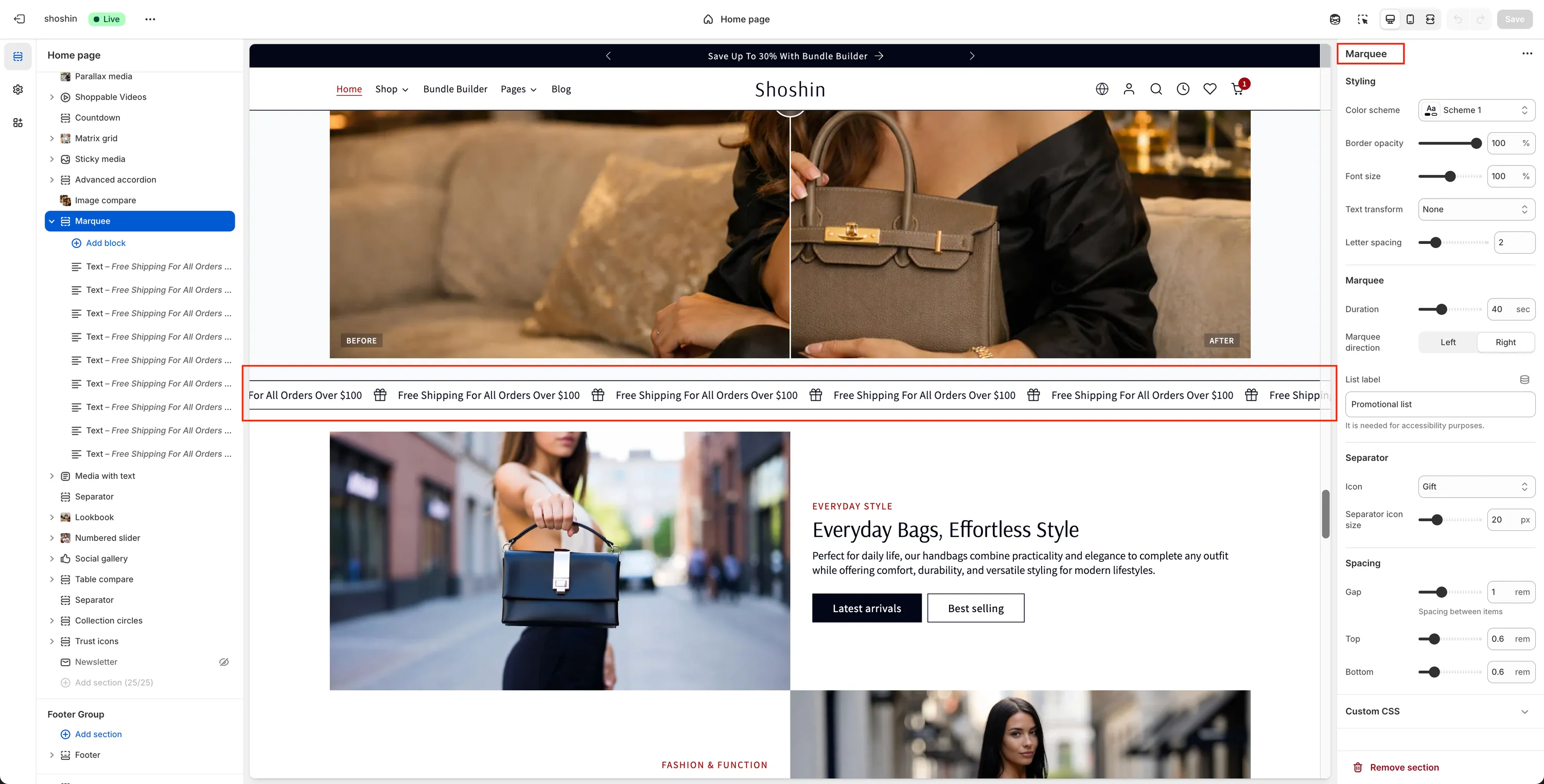
Configuration
The Marquee section includes the following settings:
Styling
Color scheme
Select the color scheme applied to the marquee section.Border opacity
Adjust the opacity of the top and bottom borders. Note: This may not be visible with all color schemes.Font size
Adjust the marquee text size as a percentage of the body font size.Text transform
Control text casing. Available options are: Capitalize, Lowercase, Uppercase, NoneLetter spacing
Fine-tune the spacing between letters for better visual balance.
Marquee Behavior
Duration
Controls how long it takes for the marquee to complete one full loop (in seconds). Higher values result in slower scrolling.Marquee direction
Choose the scrolling direction:- Left
- Right
List label
Accessibility label for screen readers. Default: "Promotional list"
Separator
Icon
Select an icon displayed between marquee items. Available options include: None, Award, Smile, Thumbs up, Sun, Star, Percent, Truck, Gift, Heart, CartSeparator icon size
Adjust the icon size in pixels.
Blocks
Each marquee item is added as a block within the section. You can mix and match different block types to build a flexible marquee layout.
Available block types:
Text block
Add short phrases, announcements, or value propositions.Image block
Add images, such as brand logos, to create a scrolling brand or partner slider.
You can freely combine block types—for example, alternating between text and images—to create a more dynamic and visually engaging marquee.
Each block also includes:
- Text or image content
- Optional URL to make the marquee item clickable