
Appearance
Richtext
Build rich, flexible content sections with text and media blocks.
The Richtext section is far more than a basic text block. In addition to a traditional title and description, you can add media such as images, MP4 videos, or YouTube embeds.
Because each element is added as a block, you can easily rearrange the order by dragging blocks to create the exact layout you need. This makes it simple to build polished, custom sections without extra development.
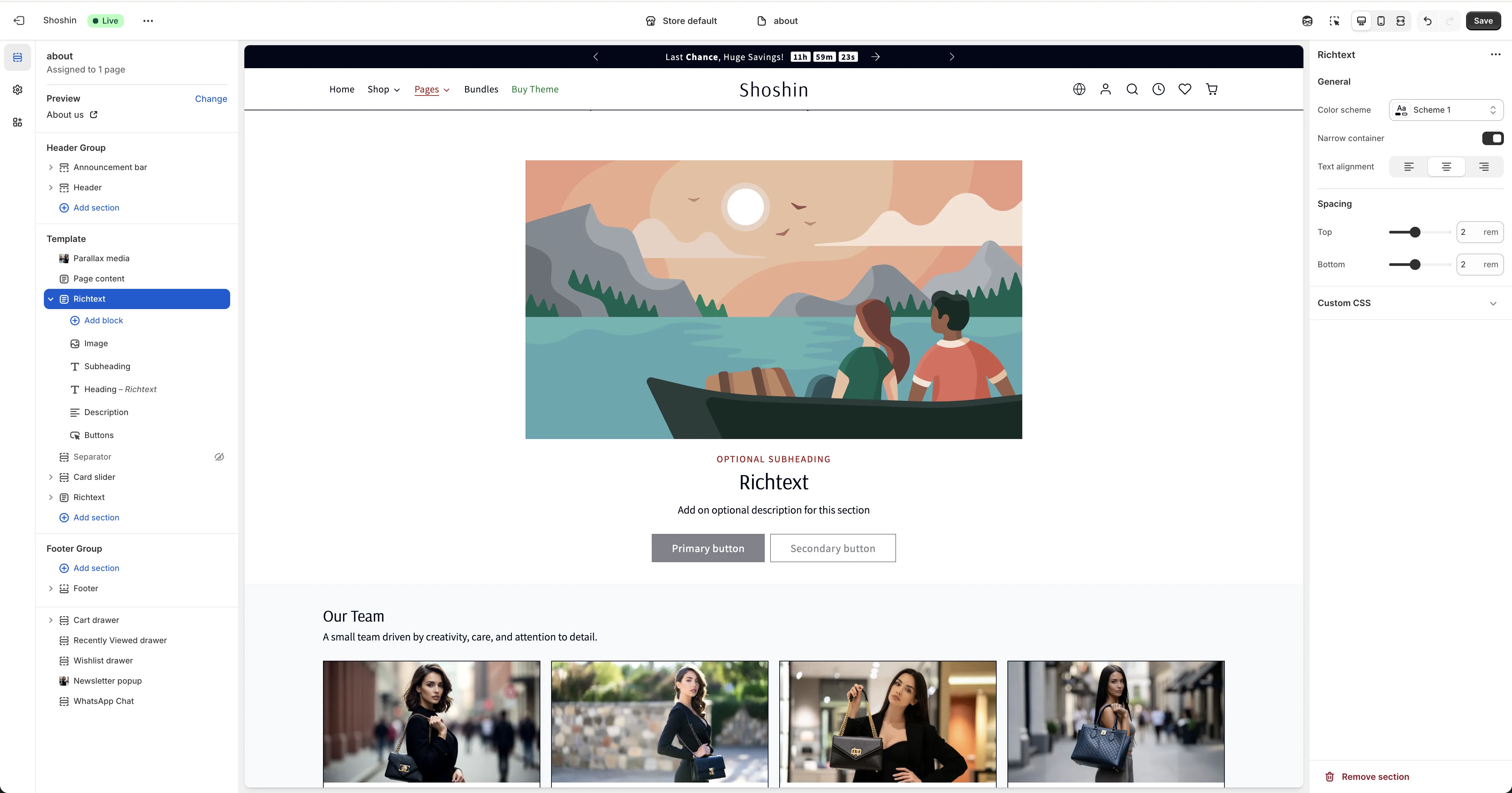
Configuration
This section is built with blocks, so you can add each piece of content individually and rearrange them as needed. In the section settings, you'll also find general styling options such as color scheme and text alignment.
Available Blocks
You can add the following blocks to build your layout:
- Image
- Video (MP4)
- External video (YouTube)
- Subheading
- Heading
- Description
- Buttons
Each block includes its own settings you can adjust. The order of the blocks determines how the content appears in the section, so you can drag and reorder them to create the perfect layout.
You don't need to add every block type—just include the blocks you need for your content.